Admins control the entire collony setup process – from inviting the bot to your community, to configuring the dashboard, setting rules, and adding new team members. Here’s how to assign them:Documentation Index
Fetch the complete documentation index at: https://collony.ai/docs/llms.txt
Use this file to discover all available pages before exploring further.
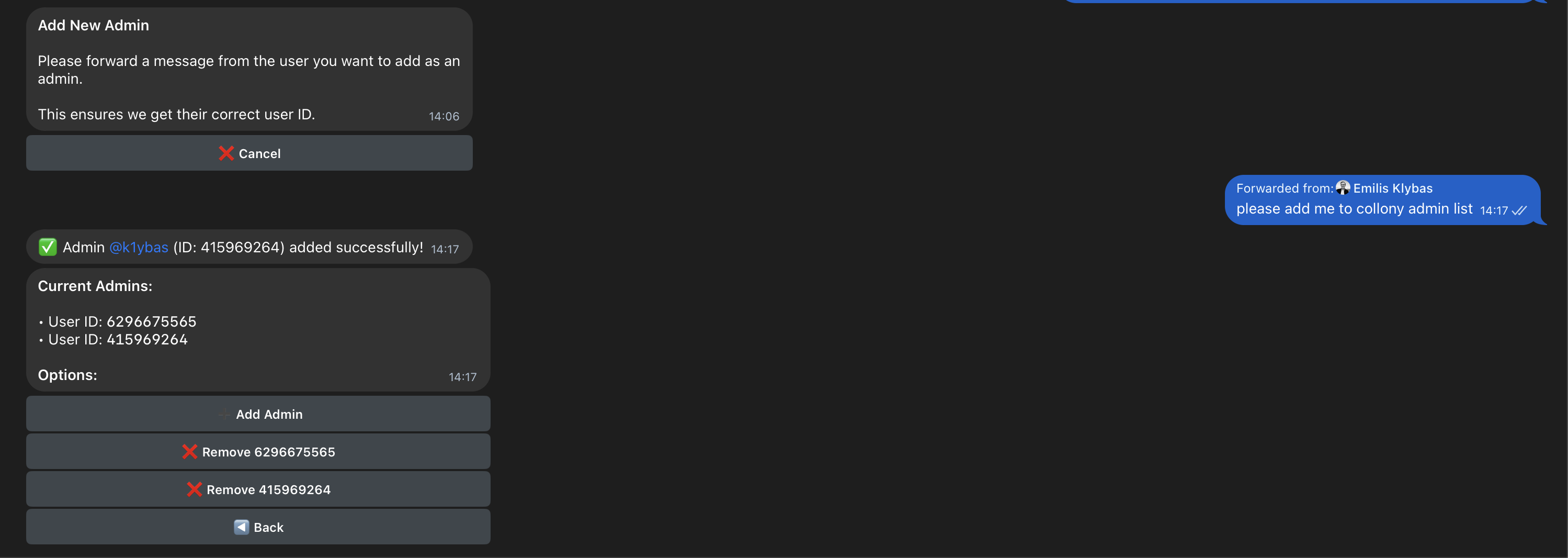
- Click on Manage Admin.
- Forward a message from the user. Open a private Telegram chat with the person you want to add, then forward any of their messages to collony. This ensures collony captures their correct Telegram user ID.
- Once forwarded, the user will automatically be added to your admin list.