collony.ai home page
Search...
⌘K
Search...
Navigation
Manage
User History Management
Get Started
collony.ai docs
Setup
Create a Group
Prepare Your Group
Find collony.ai on Telegram
Invite AI community moderator
Customize
In-Bot Setup Menu
Add Project Description
Add Project Knowledge Base
Set Moderation Rules
Set Moderator Personality
Manage
Admin Dashboard Setup
Manage Admins & Moderators
User History Management
Content Moderation
Bot Schedule Configuration
Manage
User History Management
Clear warnings, mute/unmute, and ban/unban users in one place.
Manage user moderation actions from one screen.
Open
User History
in the setup menu.
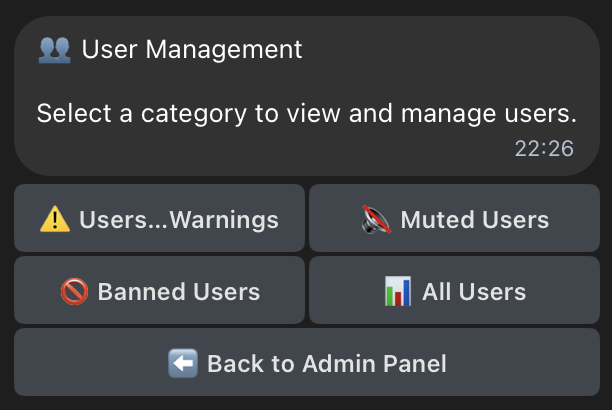
Choose a button:
User Warnings
Muted Users
Banned Users
All Users
Select and search for a user from recent activity.
Proceed with your actions.
Was this page helpful?
Yes
No
Manage Admins & Moderators
Previous
Content Moderation
Next
⌘I